
Cleaning Business Dashboard
Run your whole cleaning business from one screen: recurring cleans that book themselves, square-foot quotes, room-by-room checklists, photo proof and invoices. Free to use below, no sign-up, and your data never leaves your browser.
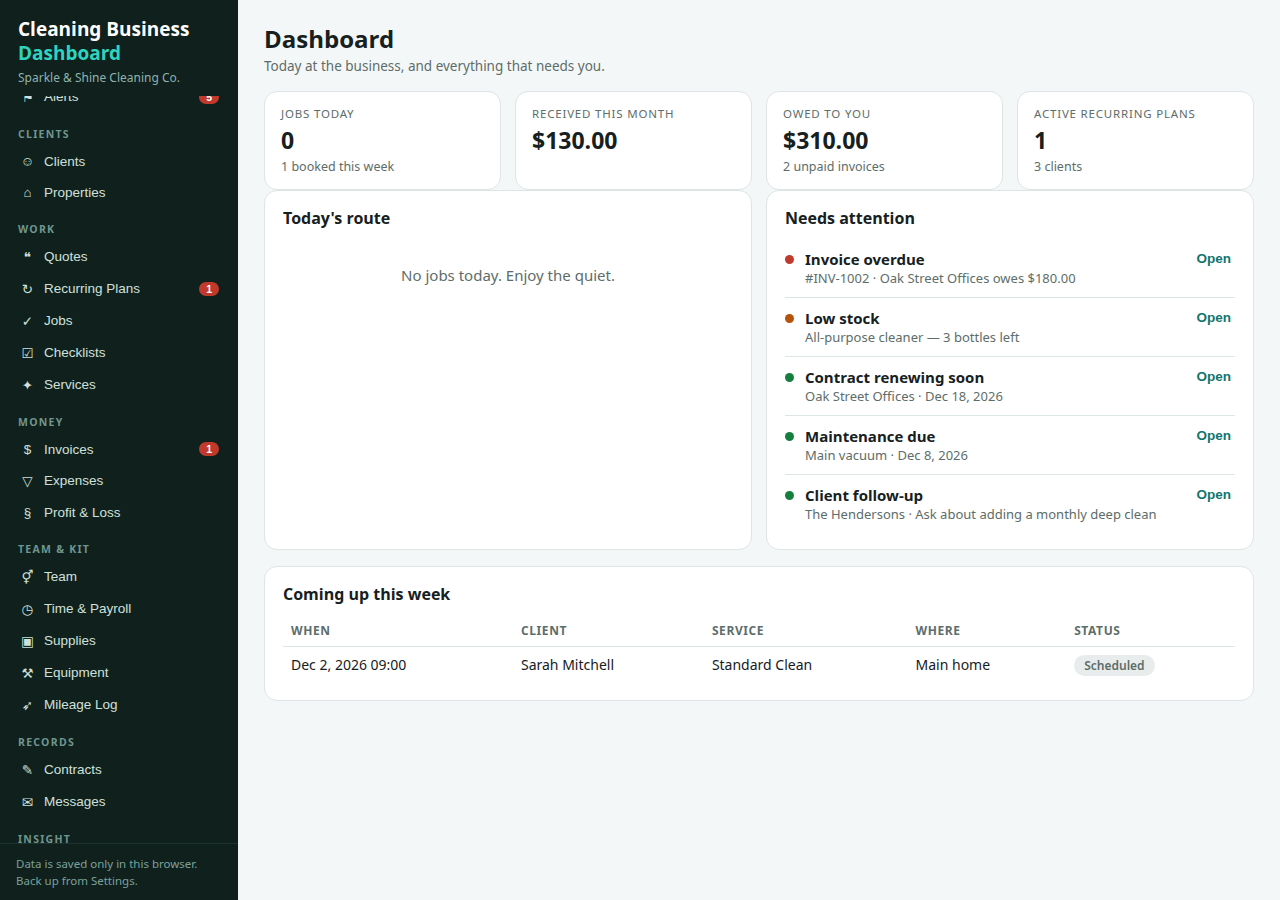 Launch Dashboard
🔖 Bookmark this page so you never lose your plan. Your data is saved privately in your own browser, and this bookmark brings you straight back to it. Keep enjoying the free stuff!
What is a cleaning business dashboard?
A cleaning business dashboard is one screen that runs the daily work of a cleaning company: who is being cleaned today, which crew is going where, what each clean costs, what has been billed and what is still owed. This one puts your dashboard, clients, properties and jobs together in a single free tool that runs in your browser, with recurring scheduling, quotes, checklists, photo proof, payroll and reports in the full version.
How do recurring cleans work?
You set a client up once: weekly, every two weeks, monthly, or every set number of days. The dashboard then books the visits by itself, up to eight weeks ahead, at the agreed price with the agreed crew member. You never sit down on a Sunday night re-booking the same regular cleans by hand, and the calendar, the day route and your alerts all fill themselves in from those plans.
Which sections are free, and what does Pro add?
The free version on this page opens five sections with generous limits: the Dashboard, Clients (up to 10), Properties, Jobs (up to 25) and Invoices (up to 10). The full Pro version unlocks all 24 sections with no limits: the Calendar, Day Route with a printable route sheet, an Alerts centre, Quotes with the square-foot pricing calculator, Recurring Plans, Checklists, Services, Expenses, Profit and Loss, the Team list, Time and Payroll with contractor totals, Supplies that deduct themselves when a job uses them, Equipment and Vehicles, a Mileage Log, Contracts, ready-written Messages, full Reports, global Search, and Settings with backup and restore.
How does the pricing calculator work?
In the Pro version, a quote prices itself three ways: by square feet, by bedrooms and bathrooms, or by the hour, using rates you set once in Settings. A first-clean premium and a recurring discount apply themselves, add-on services stack on top, and your minimum charge protects the small jobs. One tap then turns an accepted quote into a booked job, or into a recurring plan that books itself.
Do I need to install anything or create an account?
No. The dashboard is a single file that opens in any modern web browser. There is no installation, no account, no password and no subscription. Open it, and it works, even with no internet connection.
Where is my business data stored?
Only in your own browser, on your own device. Nothing is uploaded to a server and nothing is saved on any cloud. That is why the bookmark note matters: use the same browser each time, and download a backup from Settings in the Pro version whenever you want a copy you can move or restore.
Frequently asked questions
Is the Cleaning Business Dashboard really free?
Yes. The version on this page is free forever, with the Dashboard, Clients, Properties, Jobs and Invoices sections open. The Pro version is a one-time purchase that unlocks all 24 sections.
How do recurring cleans work?
Set a client to weekly, every two weeks, monthly or every set number of days, and the visits book themselves up to eight weeks ahead at the agreed price. Change or pause the plan at any time; visits already booked keep their price.
Does it work offline?
Yes. After the page loads, everything runs on your own device. Jobs, checklists and invoices all work with no connection at all.
Can it store before and after photos of a clean?
Yes, in the Pro version. Photos attach to each job as proof of work, shrink automatically so they stay small, and print on the service report you can hand to the client.
Does it send reminder texts or take card payments?
No. It writes the reminder and thank-you messages for you to copy into your own texting app, and it records payments you take, but it does not send messages or process cards. That keeps it fully offline and private.
What happens if I clear my browser data?
Your dashboard data is cleared with it, because it lives in the browser. Download a backup from Settings in the Pro version regularly; restoring takes one click.