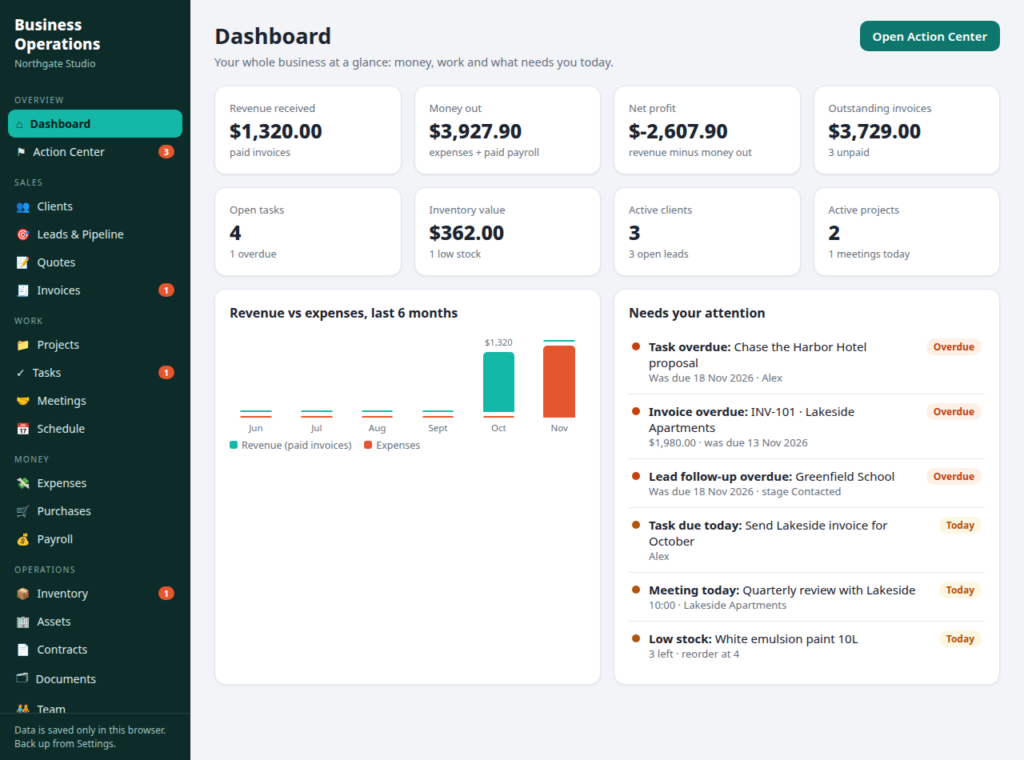
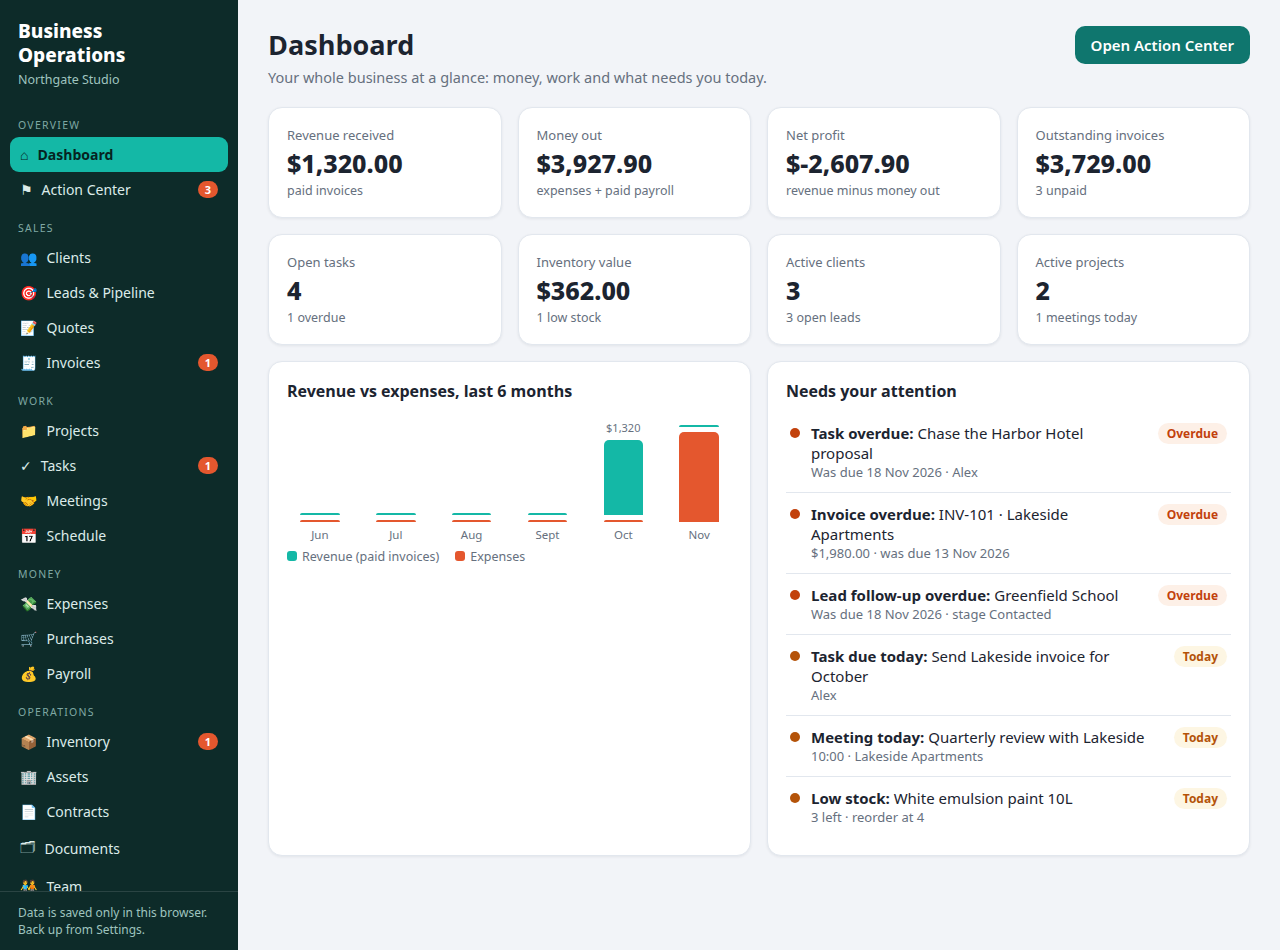
Business Operations Dashboard
 Launch Dashboard
🔖 Bookmark this page so you never lose your plan. Your data is saved privately in your own browser, and this bookmark brings you straight back to it. Keep enjoying the free stuff!
What is the Business Operations Dashboard?
The Business Operations Dashboard is an interactive business manager that runs entirely in your web browser. It brings your clients, leads, invoices, projects, tasks, meetings, payroll, stock and reports together in one calm place, with no sign-up, no installation and nothing to upload. Your information is saved privately in your own browser, on your own device, and the dashboard works offline once it has loaded.
It is built for owners who are running the business from a pile of spreadsheets, notebooks and phone reminders, and want one honest view of what is owed, what is due and what needs doing today.
How do I use it?
- Click Launch Dashboard above. The dashboard opens in a new tab.
- Start with the sections that are open in the free version: add your clients, your tasks and your invoices.
- Check the Dashboard and the Action Center each morning. They show your money, your open work and everything that needs your attention.
- Everything saves automatically in your browser as you type. Bookmark this page so you can always find your way back to it.
What is the Action Center?
The Action Center is the page most owners end up living on. It watches everything you have entered and gathers whatever needs you into one list, sorted overdue first: tasks past their date, invoices nobody has paid, lead follow-ups that are due, stock running low, contracts and documents about to expire, payroll waiting to go out and meetings happening today. Instead of checking fifteen places, you check one.
What is free, and what does the Pro version add?
This free version includes five sections, free forever: Dashboard, Action Center, Clients, Tasks and Invoices, with starter limits of 10 clients, 25 tasks and 10 invoices.
The Pro version, available on Etsy as a one-time purchase from our partner store, Aqsa Creative Studio, unlocks all 20 sections and removes the limits:
- Leads & Pipeline, a six-stage board that turns enquiries into clients
- Quotes, with one-click conversion of an accepted quote into an invoice
- Projects, with budgets, spending, progress and next steps
- Meetings and a month Schedule carrying every deadline in the business
- Expenses, split by category
- Purchases and vendor tracking
- Payroll runs with due dates
- Inventory with reorder points and low-stock alerts
- Assets, Contracts and Documents with expiry watch
- Team records with pay details
- Reports & Insights, including top clients and lead conversion
- Settings with business name, currency and tax rate, plus JSON backup and restore
Who is it for?
Service businesses, agencies, freelancers, consultants, contractors, small retailers and online sellers, cleaning and trade companies, salons, coaches, clinics and property managers: any small business or small team that sells work, sends invoices and juggles more than one client at a time.
Tips for getting the most from it
- Mark invoices paid the day the money lands. Every figure on the Dashboard is only as honest as that habit.
- Give every lead a follow-up date, even a rough one. The Action Center cannot chase what it cannot see.
- Set reorder points on the stock you cannot run out of. Running dry mid-job costs more than the alert ever will.
- In the Pro version, download a backup from Settings once a month and keep it with your other business files.
Honest limits
This dashboard records and organises your business. It does not send invoices, take payments, file taxes or run payroll for you, and it is not a replacement for your accountant. Think of it as the organised notebook that never loses a page, and always tells you which page needs you today.
Frequently asked questions
Is the Business Operations Dashboard free?
Yes. The version on this page is free forever and opens five sections: Dashboard, Action Center, Clients, Tasks and Invoices, with starter limits. The Pro version unlocks all 20 sections with no limits, as a one-time purchase on Etsy.
Do I need to install anything or create an account?
No. The dashboard is a single file that runs in your web browser. There is no installation, no account and no sign-up, and it works on Windows, Mac, tablets and phones.
Where is my data stored?
Only in your own browser, on your own device. Nothing is uploaded to any server and nobody else can see it. In the Pro version you can download a backup file from Settings at any time and restore it later.
Can it replace my accounting or payroll software?
No, and it does not pretend to. It records invoices, expenses and pay runs so you always know where you stand, but it does not file taxes, move money or handle compliance. Your accountant will still like you.
Does it work on phones and tablets?
Yes. It runs in any modern browser, including on iPhone and Android. For heavy data entry a bigger screen is more comfortable, but checking your Action Center from your phone works fine.
What does the Pro version add?
Fifteen more sections: Leads & Pipeline, Quotes, Projects, Meetings, Schedule, Expenses, Purchases, Payroll, Inventory, Assets, Contracts, Documents, Team, Reports & Insights and full Settings with backup and restore, and no limits on clients, tasks or invoices.