
Confidence Interval Calculator
Find the confidence interval for a mean or a proportion, with the margin of error shown step by step.
Calculate your confidence interval
This free tool is for students, researchers, analysts and anyone working with survey data. It needs no sign-up, and it runs entirely in your browser.
Your confidence interval
Interval at every confidence level
Same data, at 90%, 95% and 99% confidence. Your selected level is highlighted. Notice how a higher confidence level gives a wider interval.
How confidence intervals work
A confidence interval turns one sample result into a range that is likely to contain the true population value, and this calculator works it out for you in seconds. It is free, with no sign-up, and it runs entirely in your browser. It is made for students checking homework, teachers preparing lessons, and researchers who want a quick summary of a survey.
What is a confidence interval?
A confidence interval is a range of values that is likely to contain the true population value, such as a mean or a proportion. Instead of saying the average score is exactly 100, you say it is probably between 94 and 106. That range is more honest, because a sample is never a perfect copy of the whole population. Jerzy Neyman introduced the idea of confidence intervals in a 1937 paper published in the Philosophical Transactions of the Royal Society, and the method has been a standard tool in statistics ever since.
How do you calculate a confidence interval for a mean?
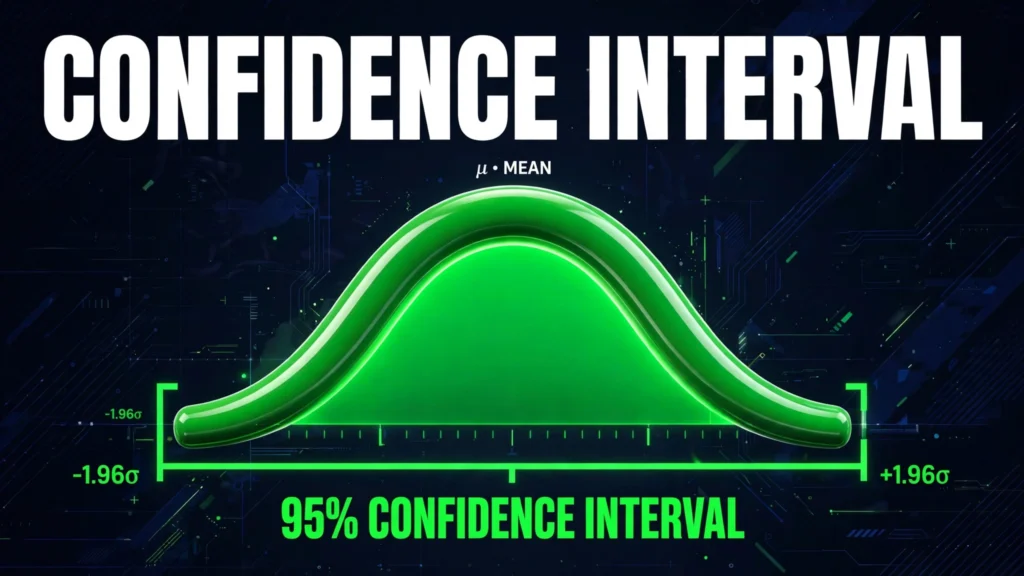
Take the sample mean, then add and subtract the margin of error. The margin equals the critical value, usually written as z, times the standard error, which is the standard deviation divided by the square root of the sample size. For a 95% interval the z value is 1.96, for 90% it is 1.645, and for 99% it is 2.576. Worked example: a sample mean of 100, a standard deviation of 15 and a sample size of 25 gives a standard error of 3, and a margin of 1.96 times 3, which is 5.88, so the interval is 94.12 to 105.88. Try it in the calculator above.
What does a 95 percent confidence level really mean?
It describes the long run reliability of the method, not the chance that one particular interval is right. If you repeated the same study 100 times, about 95 of the intervals you built would contain the true value. That is why a single interval should never be read as a 95 percent probability about one result. It is a statement about the method, and the American Statistical Association has warned against reading it as a probability for a single interval.
When should you use a t value instead of a z value?
Use a t value when the sample is small, usually below 30, or when the population standard deviation is unknown and you have to estimate it from the sample. The t value is a little larger than the z value, which widens the interval to reflect the extra uncertainty. For a sample of 25 with unknown population standard deviation, the 95% t value is about 2.06, compared with a z value of 1.96, so the interval would be slightly wider. This calculator uses the z value, which is the standard choice for a first calculation and for large samples.
How can you make a confidence interval narrower?
Increase the sample size, accept a lower confidence level, or reduce the variation in your data. Doubling the sample size does not halve the width, because the standard error falls with the square root of the sample size, so you need four times as much data to halve the width. That trade-off is why sample size planning matters, and our Sample Size Calculator can work out how many responses you need for a chosen margin.
Common critical values
| Confidence level | Critical value (z) | Used for |
|---|---|---|
| 90% | 1.645 | Quick estimates and early research |
| 95% | 1.96 | Most surveys, polls and studies |
| 99% | 2.576 | High stakes decisions and medical research |
Frequently asked questions
What is the difference between a confidence interval and a margin of error?
The margin of error is the distance from the sample result to each end of the interval. The confidence interval is the whole range, from the sample result minus the margin to the sample result plus the margin. If the margin is 5.88 and the mean is 100, the interval is 94.12 to 105.88.
Why is the 95% level the most common choice?
It is a long standing convention in science and polling, balancing precision against reliability. A 90% interval is narrower but less reliable, while a 99% interval is more reliable but much wider. Most journals and surveys settle on 95% as a middle ground.
Can a confidence interval be negative?
Yes, for a mean it can, if the sample mean is small and the margin is large. For a proportion, a negative lower bound makes no sense, because a proportion cannot fall below zero, so it is usually cut off at zero in practice.
What sample size do I need for a narrow interval?
It depends on the variation in your data and the margin you will accept. Use our Sample Size Calculator to work out the number of responses for your chosen margin and confidence level.
Does a wider interval mean a worse study?
Not always. A wide interval usually means a small sample or highly variable data, and it honestly reflects that uncertainty. A narrow interval from a large, well run study is more useful, but a wide interval is not a mistake, it is the data telling you how much you do not yet know.
How is a proportion interval different from a mean interval?
A proportion interval uses the sample proportion and its own standard error, which is the square root of p times 1 minus p, divided by the sample size. The critical value is the same, and the interval is the proportion plus or minus the margin, expressed as a percentage. Switch the calculator above to Proportion to try it.
Does this calculator store my data?
No. The calculator runs entirely in your browser. Nothing you type is uploaded, stored or shared, and closing the page clears it.
More tools you may need
Planning a survey? Try the Sample Size Calculator and the Margin of Error Calculator. For single values, use the Z-Score Calculator, the Standard Deviation Calculator and the P-Value Calculator.