
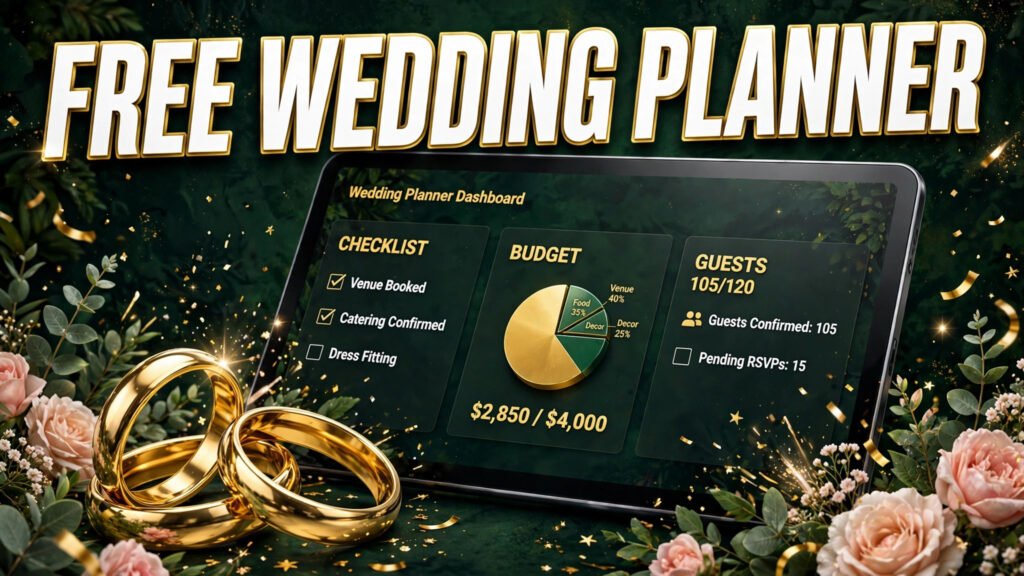
Free Wedding Planner
Plan your whole wedding in one free online wedding planner dashboard: a wedding planning checklist, budget tracker, guest list and RSVP manager, vendor tracker, wedding day timeline and countdown, all saved automatically in your browser. No sign-up, no download, no cost.
What is this free online wedding planner?
This free wedding planner is a complete online wedding planning dashboard that replaces a wedding planning spreadsheet, a paper wedding planner binder and a stack of separate wedding apps. It brings your wedding planning checklist, wedding budget planner, wedding guest list, wedding vendor list, wedding timeline and wedding notes together on one screen, with a live wedding countdown to your big day. It is a wedding organizer for couples who want simple, private wedding planning tools that work on any phone, tablet or computer, completely free.
What can you do with this wedding planning dashboard?
- Wedding planning checklist: a ready-made wedding to-do list with categories, due dates and priorities, covering the venue, attire, catering, photography, flowers, music, stationery and your marriage licence. Tick tasks off and watch your wedding planning progress bar fill up.
- Wedding budget planner and expense tracker: set a total wedding budget, add estimated and actual costs for every item, mark items paid or unpaid, and see your wedding spending split by category in a chart, so you always know what is left in your wedding budget.
- Wedding guest list manager: build your wedding guest list, track RSVPs as pending, attending or declined, record meal choices and plus-ones, and assign tables. Headcounts update automatically for your caterer and venue.
- Wedding vendor tracker: keep every wedding vendor in one place, from the venue, photographer and caterer to the florist, DJ and cake maker, with contact details, quotes and booking status from researching to paid in full.
- Wedding timeline and event schedule: plan engagement parties, rehearsals and the wedding day timeline itself, with dates, times, locations and notes in date order.
- Wedding countdown timer: your dashboard counts down the days, hours and minutes to your wedding date, with headline numbers for tasks done, money spent, guests attending and vendors booked.
- Wedding notes: one free-form page for colour palettes, song ideas, vow drafts, questions for vendors and anything else in your wedding planning.
How do you use this wedding planner?
- Open Settings in the planner and add both partners’ names, your wedding date, your venue and your total wedding budget.
- Work through the starter wedding checklist, deleting anything that does not apply and adding your own wedding planning tasks with due dates.
- Add every cost to the wedding budget tracker as you get quotes, and update the actual cost and paid status as you book.
- Build your wedding guest list early, then update RSVPs, meal choices and table numbers as replies arrive.
- Add your wedding vendors and wedding day events to the timeline as they are confirmed, and download a backup from Settings now and then to keep your wedding plan safe.
Does this wedding planner save your data?
Yes. This online wedding planner saves everything automatically in your own web browser using local storage, so your wedding checklist, budget, guest list and vendors are exactly as you left them when you come back on the same device, with no account and no password. Your wedding planning data is never sent to a server, which makes this a genuinely private wedding organizer. In Settings you can download a backup file of your whole wedding plan, copy it as text, or restore it later on another device.
How much does a wedding cost?
The average wedding costs around $33,000 in the United States, but weddings range from a few thousand dollars for a small celebration to well over $100,000. The venue and catering usually take the largest share of a wedding budget, followed by photography, attire, flowers and music. Start with our Wedding Budget Calculator to split your budget by category, read the full breakdown in Average Wedding Cost Breakdown 2026, then track every real quote and payment here in the wedding budget planner.
More free wedding planning tools
- Wedding Budget Calculator – split your total wedding budget across every category.
- Wedding Alcohol Calculator – how much beer, wine and spirits to buy for your guest count.
- Wedding Cake Calculator – the cake size and servings you need for your wedding guests.
- Cash Wedding Gift Calculator – how much money to give as a wedding gift.
- Engagement Ring Budget Calculator – a sensible budget for the ring before the wedding planning starts.
Is this wedding planner really free?
Yes, this wedding planner is completely free, with no sign-up, no subscription, no locked sections and no limit on tasks, guests, expenses or vendors. Every part of the wedding planning dashboard, including the checklist, budget tracker, guest list manager, vendor tracker, timeline, notes and data backup, is free to use for as long as you are planning your wedding.
Do you need an account to use this online wedding planner?
No. There is no account, email address or password. The wedding planner works straight away in your browser and saves your wedding planning data on your own device. If you plan on more than one device, download a backup file from Settings on the first device and import it on the second device to move your wedding plan across.
Can you use this wedding planner on your phone?
Yes. This free wedding planner app is fully responsive and works on phones, tablets and computers. On a phone, the wedding planning sections sit in a simple bottom bar, so your checklist, budget, guest list and countdown are always one tap away, at a fitting, a venue visit or a vendor meeting.
What is the difference between a wedding planner app and a wedding planning spreadsheet?
A wedding planning spreadsheet stores numbers and lists, but you have to build every table, formula and total yourself. This wedding planner dashboard does the maths for you: budget totals, spending by category, RSVP headcounts, plus-one counts and checklist progress all update automatically, and the wedding countdown, vendor booking statuses and timeline are built in rather than bolted on.
When should you start planning a wedding?
Most couples start wedding planning 12 to 15 months before the wedding day, book the venue and major vendors first, and send save-the-dates about 8 months out and invitations about 3 months out. Starting later is fine too: this wedding planning checklist is ordered by what usually matters most, so you can begin wherever you are and set due dates that fit your own wedding timeline.
Can both partners use the same wedding plan?
Yes. On a shared computer or tablet, both partners see and edit the same wedding plan automatically. If you each plan on your own phone, use the backup and restore tools in Settings to pass the latest version of the wedding plan between devices, or simply keep one device as the main wedding organizer.